

The interior design software market in 2026 is louder than ever. Every quarter brings a new AI-powered renderer, a new mood board app, a new procurement platform, and a new “all-in-one” solution promising to replace every tool you already use. For working designers, the noise is exhausting. For homeowners trying to understand what their designer actually uses on their project, the noise is even more confusing.
This guide cuts through the noise. As an integrated design-build family that runs both a luxury custom home builder (Ashtin Group UT) and a home decor and interior design studio (Designly Done) in Utah County, Utah, we use design software every day across the full lifecycle of a project — from early architectural collaboration to final install styling. We have tested the headline tools, swapped some out, doubled down on others, and built a working software stack that we trust on real client projects.
What follows is a category-by-category breakdown of the best design software for interior designers in 2026 — what each tool actually does well, where it falls short, what it costs, and which type of project or team it fits. Whether you are a working designer evaluating your own stack or a homeowner wondering what your designer is using behind the scenes, this guide will tell you what is worth your attention.
Why Interior Design Software Matters More Than Most Clients Realize
A great designer’s eye is the foundation, but software is what translates that eye into a coordinated, buildable, repeatable plan. The tools a designer uses affect how fast they can iterate on a layout, how accurately they can communicate with builders and trades, how realistically they can preview a finished room before any furniture is ordered, and how cleanly they can track every PO, COM (customer’s own material), and freight charge across a year-long project.
For homeowners, the tools matter for a different reason: they shape how you experience the design process. A studio using up-to-date 3D rendering, AR walk-throughs, and interactive presentations gives you a confident preview of decisions before money is committed. A studio still using static PDFs and hand-drawn floor plans is asking you to trust your imagination. Both can produce beautiful work — but the experience of getting there is very different.
On the build side, design software is what bridges the gap between the interior designer and the construction team. At Ashtin Group UT, our build crews receive design files, elevation drawings, and material specifications from the Designly Done design team, and the cleaner those files are, the smoother the build. Software is not glamorous, but it is the connective tissue of a well-coordinated project.
CAD and Drafting Software: The Foundation of the Stack
CAD (computer-aided design) software is where most professional interior designers start. These are the tools used to produce floor plans, elevations, reflected ceiling plans, and technical drawings that builders and trades can actually build from.
AutoCAD (Autodesk)
AutoCAD is the historic standard for technical drafting and is still widely used across the architecture and interior design world in 2026. Its strength is precision and universality — almost every architect, builder, and engineer can open, read, and mark up an AutoCAD file. Its weakness is the learning curve, which is steep, and the subscription cost, which is high. Most interior-only studios in 2026 are moving away from AutoCAD as their primary tool but still keep a license for collaboration with architecture partners.
Best fit: Studios that work closely with architects and need to exchange technical drawings in DWG format. Cost: roughly $260 per month or $2,030 per year per seat.
SketchUp Pro
SketchUp is the workhorse 3D modeling tool for most residential interior designers. It is easier to learn than AutoCAD, fast to iterate in, and produces clean 3D models that translate well into rendering engines. The Pro version includes LayOut for 2D documentation. SketchUp’s massive component library (the 3D Warehouse) is also a real asset — designers can pull in furniture, fixtures, and architectural elements from a global community of contributors.
Best fit: Residential interior designers who want fast 3D iteration without a heavy CAD learning curve. Cost: roughly $349 per year per seat for the Pro tier, with a Studio tier above it that includes V-Ray rendering.
Chief Architect
Chief Architect is a residential-focused alternative to AutoCAD, with built-in tools tailored to home design — automatic roof generation, framing, plumbing, electrical, and rendering all in one environment. It is popular with custom home builders and residential designers who want one tool to handle architecture, interiors, and visualization.
Best fit: Residential designers and design-build teams working primarily on single-family homes. Cost: roughly $2,995 one-time for Chief Architect Premier, with annual support subscriptions available.
Revit
Revit is Autodesk’s BIM (Building Information Modeling) tool and the industry standard for commercial architecture. A small but growing number of high-end residential studios use Revit because of its coordination power across architecture, structure, and MEP (mechanical/electrical/plumbing). For most interior-only residential studios, Revit is overkill — but for studios deeply integrated with architecture firms, it is essential.
Best fit: Studios collaborating with commercial or BIM-driven architecture practices. Cost: roughly $360 per month or $2,910 per year per seat.
3D Rendering and Visualization Software
Once a floor plan exists, the next layer of design software produces photorealistic renderings — the images that let clients see a finished room before any furniture is ordered. The rendering category has exploded in the last five years.
Enscape
Enscape is a real-time rendering plug-in that lives inside SketchUp, Revit, Rhino, and ArchiCAD. Its biggest advantage is speed: changes in the model appear instantly in the render. It also supports VR walk-throughs, which has become a near-standard expectation for high-end residential clients in 2026. Quality is excellent for the speed, though purists still prefer V-Ray or Lumion for hero shots.
Best fit: Studios already on SketchUp or Revit who want fast iterative rendering and VR client previews. Cost: roughly $470 per year per seat.
Lumion
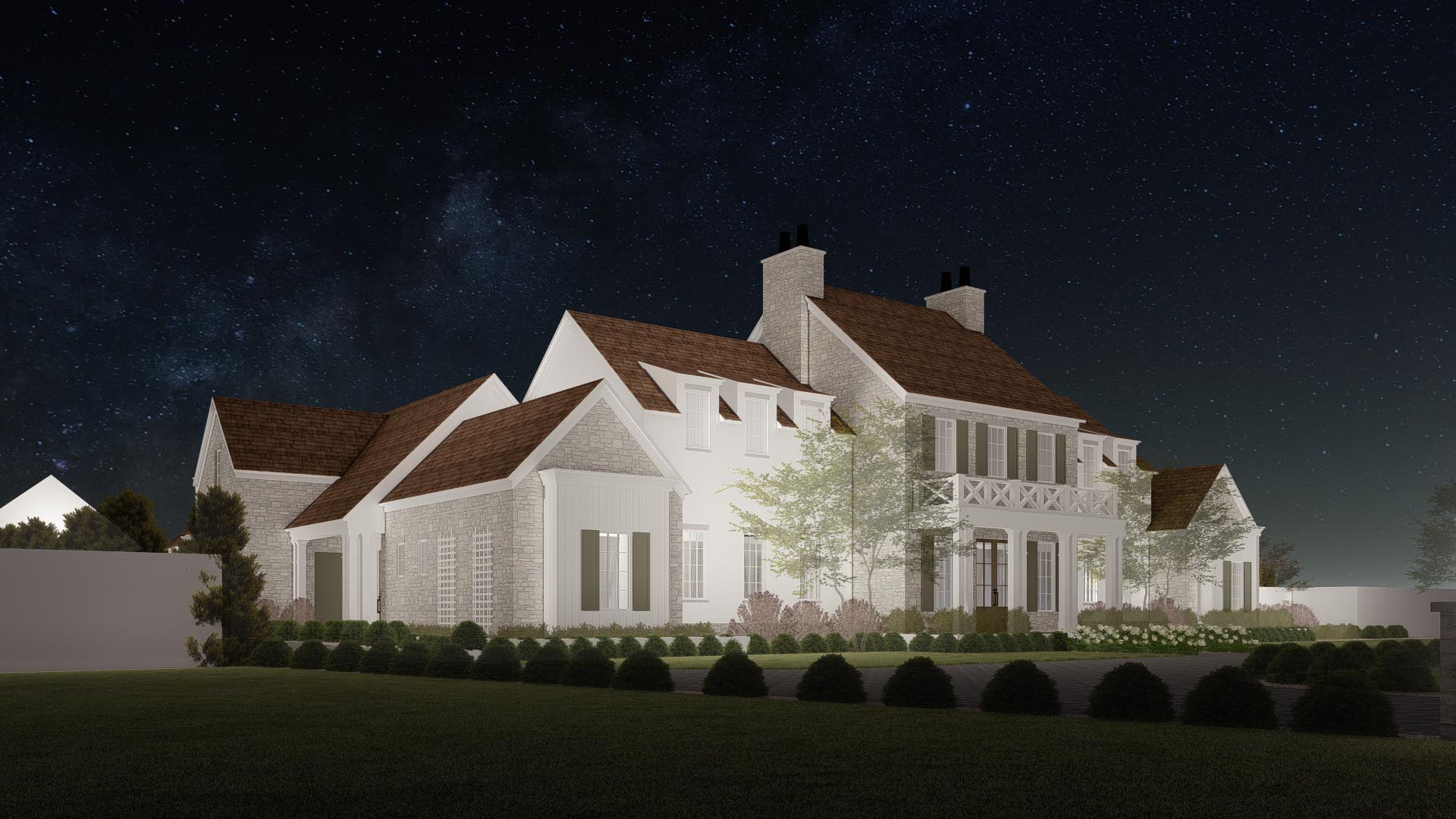
Lumion is a dedicated visualization tool that takes models from SketchUp, Revit, Rhino, ArchiCAD, and others and produces cinematic renderings, video walk-throughs, and atmospheric scenes. Lumion’s massive library of materials, plants, people, and skies makes it especially strong for context renderings that show a home in its actual landscape — useful for Wasatch Front projects where the mountain backdrop is part of the design.
Best fit: Studios that need cinematic, marketing-quality renderings and video walk-throughs. Cost: roughly $1,883 per year for Lumion Pro.
V-Ray (Chaos)
V-Ray is the gold standard for photoreal rendering in architecture and interior design. It produces images that are often indistinguishable from photography and is the renderer of choice for designers submitting work to publications. The learning curve is real, and render times are longer than real-time tools like Enscape, but the output is at a different level for hero shots.
Best fit: Studios producing publication-quality imagery and detailed marketing renderings. Cost: roughly $470 per year for the Solo plan, with bundled options for SketchUp Studio and other hosts.
Twinmotion (Epic Games)
Twinmotion is a real-time visualization tool built on the Unreal Engine. It is fast, increasingly polished, and supports VR and interactive walk-throughs. Epic’s pricing model has shifted multiple times in the last few years — checking current licensing before you commit is wise.
Best fit: Studios that want Unreal-engine power without a deep Unreal learning curve. Cost: subscription pricing varies; check the current Twinmotion site.
D5 Render
D5 has gained a strong following among residential designers in 2026 for its balance of speed, ease of use, and AI-assisted features. It pairs well with SketchUp and is increasingly popular at small to mid-size studios looking for an Enscape alternative with a deeper material library.
Best fit: Residential studios looking for fast, modern rendering with AI-assisted lighting and materials. Cost: free tier available; Pro pricing roughly $38 per month or less annually.
Mood Board, Concept, and Presentation Tools
Before any technical drawing happens, every project starts with concept work — mood boards, palette studies, fabric and finish layouts, and inspiration sets. The tools in this category are where designers translate vague client phrases into a visible direction.
Morpholio Board
Morpholio Board is the iPad-first mood board app most interior designers use in 2026 for fast concept work. It pulls images from any source, supports product spec tagging, and exports cleanly to client-facing PDFs. The product library — Stencil — lets designers drop in furniture silhouettes at scale, which is useful for sketching out layouts on the fly.
Best fit: Designers who want iPad-native concept and mood board work. Cost: subscription roughly $96 per year.
Milanote
Milanote is a flexible visual canvas tool — think of it as a digital pin board crossed with a project planner. Designers use it for early-stage research, image collections, and team brainstorms. It is not specific to interior design, but it is one of the most popular general-purpose creative tools in the studio world.
Best fit: Studios that want a flexible, web-based creative workspace. Cost: free tier available; Pro plans roughly $12.50 per month.
Adobe Creative Cloud (Photoshop, Illustrator, InDesign)
Adobe is still the foundation of polished concept presentations. Photoshop is essential for compositing mood boards, retouching reference imagery, and overlaying samples on existing room photos. Illustrator handles diagrams and graphics. InDesign produces final client books and presentation documents. The Adobe ecosystem is expensive, but the quality and flexibility are unmatched.
Best fit: Studios producing high-end client books, presentations, and marketing materials. Cost: roughly $60 per month for the full Creative Cloud suite.
Canva
Canva has earned a real place in many design studios in 2026 — not for production deliverables, but for fast social media graphics, simple presentations, and team-collaboration documents. It is not a substitute for Adobe, but it is a much faster tool for any output that does not need full design fidelity.
Best fit: Studios producing fast marketing graphics, social posts, or simple client decks. Cost: free tier available; Pro plans roughly $15 per month.
Project Management and Procurement Software
The most underrated category of interior design software is the back-office stack: project management, procurement, time tracking, and invoicing. Studios that win on profitability win because of these tools, not because of the rendering tools.
Studio Designer
Studio Designer is the most established interior-design-specific project and procurement management platform. It handles client proposals, purchase orders, item tracking, time billing, accounting, and reporting in one ecosystem. The learning curve is meaningful, but for studios sourcing serious volumes of furniture and accessories, the ROI is fast.
Best fit: Mid-size to larger residential studios with significant procurement volume. Cost: per-seat subscription; pricing usually quoted directly.
Design Manager
Design Manager is a similar all-in-one platform — proposals, POs, accounting, time tracking, and project profitability reporting tailored to interior design. It has been around for decades and is trusted by many established studios. Comparable in scope to Studio Designer.
Best fit: Established studios that want a comprehensive proposal-through-accounting platform. Cost: per-seat subscription.
Mydoma Studio
Mydoma is a newer, more designer-friendly project management platform with strong client-portal features, time tracking, sourcing tools, and proposal templates. It is popular with small to mid-size studios that want streamlined workflows without the heavier learning curve of Studio Designer or Design Manager.
Best fit: Solo designers and small studios who want a modern, client-facing project tool. Cost: roughly $79 to $169 per month depending on tier.
Houzz Pro
Houzz Pro bundles client lead generation, project management, mood boards, 3D floor plans, and invoicing in a single platform. The lead generation through the Houzz marketplace is the marquee feature for many designers. The project management tools are solid but less depth than Studio Designer or Design Manager.
Best fit: Designers who want lead generation and project management bundled together. Cost: subscription tiers roughly $99 to $399 per month.
Asana, Notion, or ClickUp
Many studios — including ours — use general-purpose project management tools like Asana, Notion, or ClickUp alongside design-specific platforms for internal task management, content calendars, and team coordination. The right general-purpose tool depends on team size and preference. At our office, Asana is the operational backbone for cross-team tracking across both Ashtin Group UT and Designly Done.
Best fit: Internal task and team workflow management. Cost: free tiers available; paid tiers $7 to $25 per user per month.
Client-Facing Presentation and Sourcing Tools
The way a studio presents work to clients is as important as the design itself. The right tools turn a deliverable into a moment.
Morpholio Trace
Morpholio Trace is iPad-first hand-drawn sketching software designed for architects and interior designers. It pairs beautifully with Apple Pencil for in-the-room sketches that can be layered over photographs and floor plans. Many studios use Trace for both client meetings and on-site walk-throughs.
Best fit: Designers who sketch live with clients on an iPad. Cost: subscription roughly $96 per year.
Materio
Materio is a digital sample management tool that organizes physical and digital material samples in one searchable library. For studios with serious sample libraries, Materio replaces the chaos of plastic bins and binder pages.
Best fit: Studios with large sample inventories. Cost: tiered subscription pricing.
Foyr Neo, Coohom, and Planner 5D
The web-based “fast 3D” category — Foyr Neo, Coohom, Planner 5D — produces fast 3D room visualizations with drag-and-drop furniture libraries. These are popular with showroom designers, retail-attached design services, and homeowners exploring DIY layouts. They are not as flexible as SketchUp + Enscape, but they are dramatically faster for quick consumer-facing presentations.
Best fit: Showroom designers, retail design services, and homeowners. Cost: ranges from free tiers to roughly $100 per month depending on tool.
AI Tools That Are Actually Useful for Interior Designers in 2026
AI has flooded the design space in the last two years. Some tools deliver real value; some are demos in marketing wrappers. The categories where AI is meaningfully helping designers in 2026 include AI-assisted rendering (D5, Lumion’s AI features), generative concept imagery (Midjourney, DALL-E, Adobe Firefly for early ideation), AI-driven floor plan generation (multiple emerging tools), and natural-language sourcing assistants that surface furniture matches across multiple vendors.
The honest take is that AI is excellent for early concept exploration and slow at replacing the technical, relational, and trade-side work that defines professional design. We use AI tools daily for ideation and inspiration. We do not use them to produce final deliverables.
Free vs. Paid: Where to Start if You Are New to Interior Design Software
If you are a homeowner, design student, or new solo designer trying to build a starter stack on a modest budget, here is the most efficient path.
Start with SketchUp Free or SketchUp Pro (paid) for 3D modeling. Pair it with D5 Free or Twinmotion (free tier) for rendering. Use Milanote (free tier) for mood boards. Use Canva (free tier) for presentations. Use Notion or Asana (free tiers) for project tracking. This stack covers 80 percent of what a small project needs at near-zero ongoing cost.
Once your work volume justifies the investment, upgrade to SketchUp Pro + Enscape, add Adobe Creative Cloud for polished presentations, and bring in Mydoma or Studio Designer for procurement and project management. That is the realistic mid-tier stack for a growing studio.
For full-service residential studios with multi-project workloads, the established stack tends to look like SketchUp Pro or Revit + Enscape and V-Ray + Adobe Creative Cloud + Studio Designer or Design Manager + Morpholio Board + Asana or Notion. That stack is expensive but well-coordinated and battle-tested.
What We Use at Designly Done and Ashtin Group UT
For transparency, here is the working stack we use across our two brands in Utah County.
For architectural collaboration on custom builds at Ashtin Group UT, we operate primarily in SketchUp Pro and Chief Architect, with selective AutoCAD use when an architect partner requires DWG exchange.
For interior visualization at Designly Done, we render in Enscape for real-time client previews and use V-Ray selectively for hero imagery and publication submissions.
For concept and mood board work, our designers use Morpholio Board on iPad and Adobe Creative Cloud for finalized client books.
For procurement and project management, we run Asana for cross-team coordination across both brands. For project-specific procurement on full-service residential engagements, we use a Studio Designer–style workflow with vendor-specific PO tracking.
For client presentations, we lean heavily on Enscape walk-throughs (often delivered in VR on an in-office headset), printed Adobe-built design books, and physical sample boards built from our in-house sample library.
The stack is not the smallest possible stack. It is the stack that supports the level of design and build coordination our clients expect on a luxury Wasatch Front project. For smaller studios, simpler stacks work fine. The right stack is the one that fits your work.
How to Choose the Right Interior Design Software for Your Work
If you are evaluating your own software stack, the framework we recommend is short.
Start with the deliverable. What does your client need to see — a floor plan, a 3D rendering, a video walk-through, a mood board, a printed book, a digital portal? Build your stack backward from the deliverable.
Match the tool to the project. A solo designer doing two single-room projects a quarter does not need Studio Designer. A studio managing twenty active full-service projects cannot survive without something like it. Match the depth of the tool to the complexity of the workload.
Pick coordinated tools. The biggest hidden cost in a design stack is friction between tools. SketchUp + Enscape are coordinated. Revit + Enscape are coordinated. SketchUp + V-Ray are coordinated. Cobbling together tools that do not talk to each other costs more in time than the licenses save in money.
Budget for the back office. The seductive software is the rendering software. The profitable software is the procurement software. Allocate budget accordingly.
Replace tools slowly. Switching software mid-project is painful and expensive. When you find a tool that works, stay with it. When you upgrade, do it between projects, not during.
The right interior design software stack will not make you a great designer — but it will make a great designer faster, more accurate, and more profitable. That is worth investing in.
Frequently Asked Questions
SketchUp Pro is the single most widely used 3D modeling tool among residential interior designers in 2026, often paired with Enscape or D5 for real-time rendering. AutoCAD remains common for technical drafting and architect collaboration, while Adobe Creative Cloud, Morpholio Board, and Studio Designer (or Design Manager) are foundational across many established studios. Most professional studios — including ours at Designly Done — use a coordinated stack of three to six tools rather than a single all-in-one platform.
The most common CAD-style tools used by interior designers are SketchUp Pro (3D modeling and basic 2D drafting), AutoCAD (technical drafting and DWG exchange with architects), Chief Architect (residential-focused all-in-one), and Revit (BIM coordination on more architecturally complex projects). For most residential interior designers, SketchUp Pro is the practical entry point and primary modeling tool.
SketchUp Free is the most common starting point for beginners, paired with a free-tier renderer like D5 or Twinmotion. Beginners can also use entry-level tools like Planner 5D, Foyr Neo, or Coohom for fast drag-and-drop layouts without a traditional CAD learning curve. For mood boards and presentations, Canva and Milanote both have generous free tiers.
A working professional design stack typically costs $1,500 to $5,000 per year per seat in 2026, depending on the tools selected. A minimal beginner stack can be assembled for under $500 per year using free tiers and basic paid plans. Procurement platforms like Studio Designer or Design Manager add meaningful cost but can deliver strong ROI on studios with significant sourcing volume.
Yes, but less universally than they did a decade ago. AutoCAD is still common at studios that collaborate closely with architecture firms and need to exchange DWG files. Many interior-only residential studios have moved primary modeling work to SketchUp Pro or Chief Architect, keeping AutoCAD as a secondary tool for architect handoff.
No — but AI is meaningfully accelerating certain parts of the design workflow. AI-assisted rendering (in tools like D5 and Lumion), generative concept imagery (Midjourney, Firefly, DALL-E), and natural-language sourcing tools are genuinely useful for ideation and faster iteration. The technical, relational, trade-coordination, and on-site work that defines professional interior design is still very much human. At Ashtin Group UT and Designly Done, AI is a daily ideation tool — not a replacement for our design or build teams.
Ready to Elevate Your Home? Start Here.
Whether you are a designer building your toolkit or a homeowner curious about how your design and build team operates behind the scenes, the right software stack is what turns vision into execution. The Kuhni family of brands uses a coordinated, professional toolkit on every project we touch — so that every line on a floor plan, every render in a presentation, and every PO in procurement is accurate, traceable, and built to deliver.
Designly Done — Utah County’s Luxury Home Decor Store & Design Center | designlydone.com Ashtin Group UT — Utah County’s Luxury Custom Home Builder | ashtingrouput.com
Building and designing extraordinary homes across Provo, Orem, Lehi, Saratoga Springs, Eagle Mountain, Springville, Spanish Fork, Mapleton, Payson, and all of Utah County, Utah.
About the Founders Ashley and Justin Kuhni are the founders of Designly Done (luxury home decor store and full-service interior design center) and Ashtin Group UT (luxury custom home builder serving the Wasatch Front). Together they lead an integrated design-build team dedicated to creating and furnishing extraordinary homes throughout Utah County.